Skip to content
Download our app

BusyHen for iPhone and iPad

Online tutoring that lives in one app

Find a tutor, book a session, learn through live video, chat, and whiteboard tools, or get instant help from the AI Tutor.

BusyHen is a peer-to-peer tutoring marketplace. Search by subject, category, and price, compare tutor profiles, then teach and learn without leaving the app.

Become a Tutor
Download on the App Store
  • One account for students and tutors
  • Stripe payments
  • THE BUSY HEN LLC
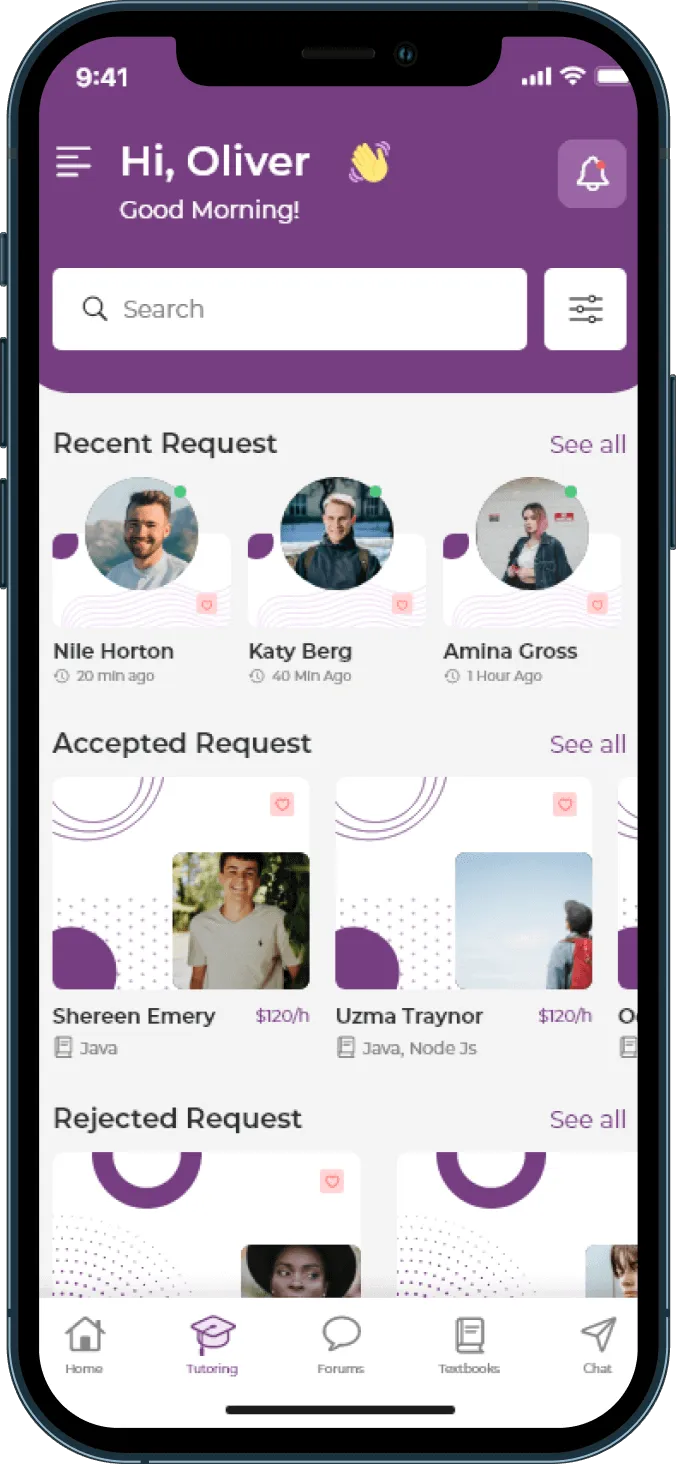
BusyHen Tutoring tab showing recent, accepted, and rejected session requests with tutor cards and hourly rates

Features

What BusyHen can do

Tutor discovery, booking, live video, whiteboard, messaging, group tutoring, and AI help - in one peer-to-peer tutoring marketplace.

  • Find a Tutor

    Search and filter tutors by subject, category, and hourly price. Compare profiles, ratings, and reviews, then save favorites.

  • Book a Session

    Choose the subject, date, time, and duration, then send a one-on-one or group session request.

  • Learn Live

    Meet inside the app with live video, an interactive whiteboard, and in-call chat - no external meeting link.

  • Ask AI

    Get tutoring help by voice or text with the AI Tutor, available from anywhere in the app.

  • Message

    Chat one-on-one or in groups, share photos and files, and start a live video call from a conversation.

  • Join a Group

    Discover tutoring groups on a tutor’s profile and book a spot that fits your subject and schedule.

Interactive product tour

See how tutoring comes together in BusyHen

Explore the journey from finding a tutor to finishing a live session, all inside one app.

BusyHen Live · simulated experience with demo data

01 Find
02 Book
03 Connect
04 Learn
05 Summary

BusyHen Live

Start your tutoring journey

Explore step by step, or play a guided walkthrough from discovery to AI summary.

Find a tutor
Learn live
AI summary

Product journey

How a BusyHen session unfolds

Scroll through discovery, booking, live tutoring, and AI review - one continuous product story.

  1. 01

    Find a tutor

    Search and filter by subject, category, and hourly price. Compare profiles, ratings, and reviews before you choose.

    Tutor Finder

    • Alex Morgan

      Mathematics · 4.9 ★ · $25/hr

    • Jordan Lee

      Science · 4.8 ★ · $28/hr

    • Sam Rivera

      English · 4.9 ★ · $22/hr
  2. 02

    Book a session

    Pick subject, date, time, and duration, then send a one-on-one or group request.

  3. 03

    Learn live

    Meet inside BusyHen with live video, an interactive whiteboard, and in-call chat.

  4. 04

    Review your session

    After the session, review an AI-written summary of what you covered - then keep learning with the AI Tutor.

Marketplace

Find a tutor based on what you need

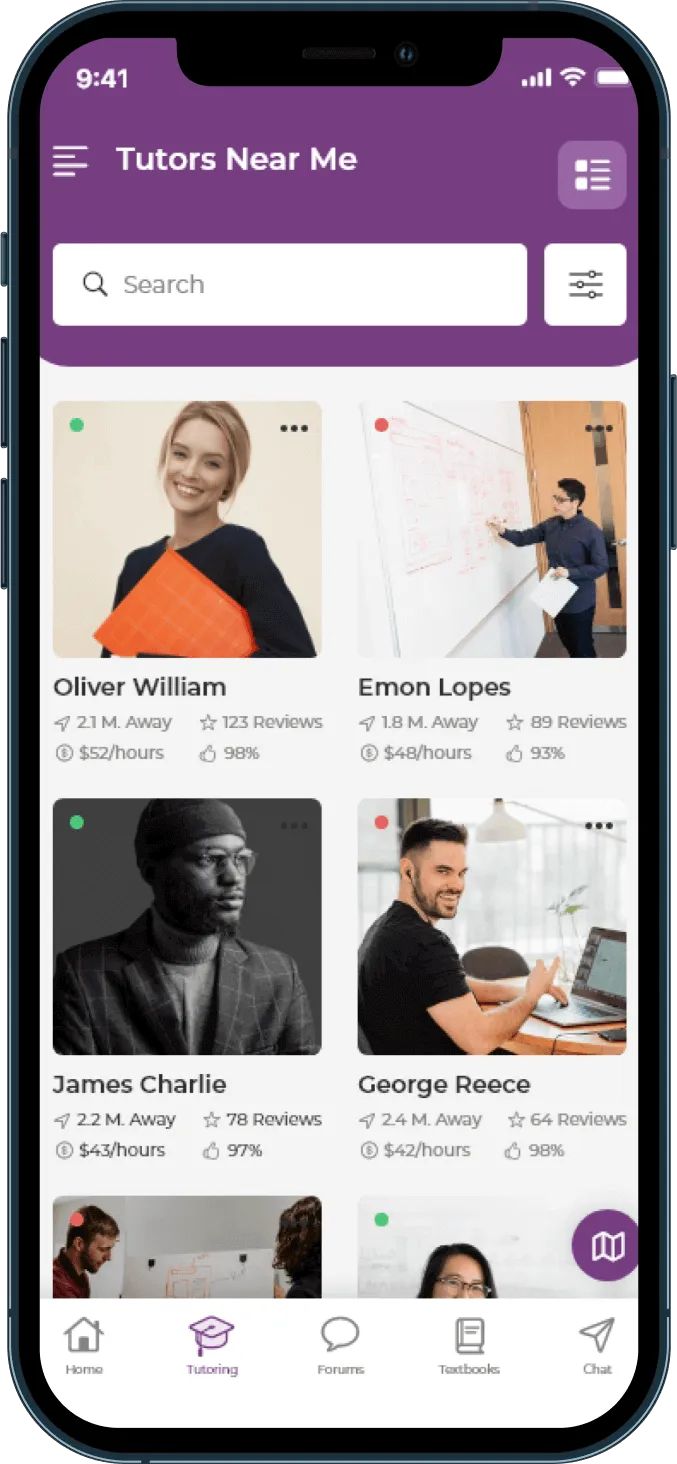
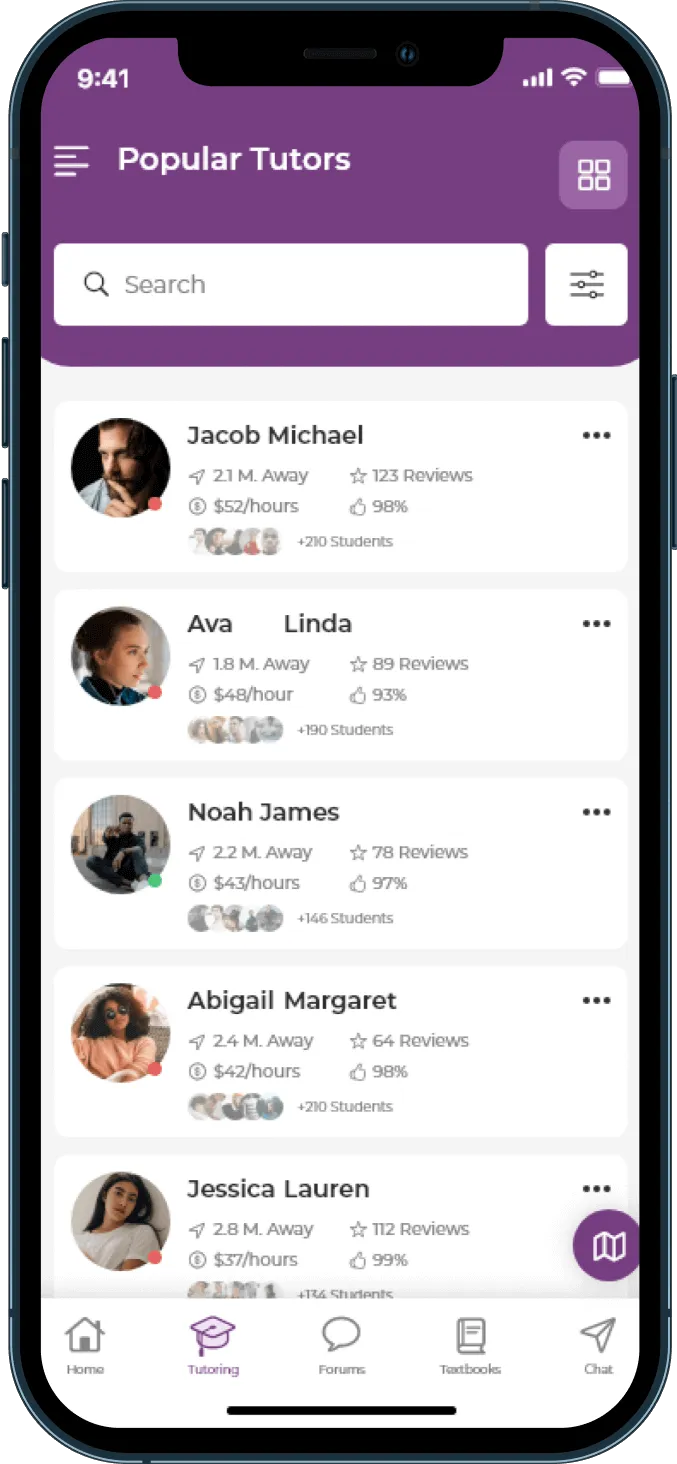
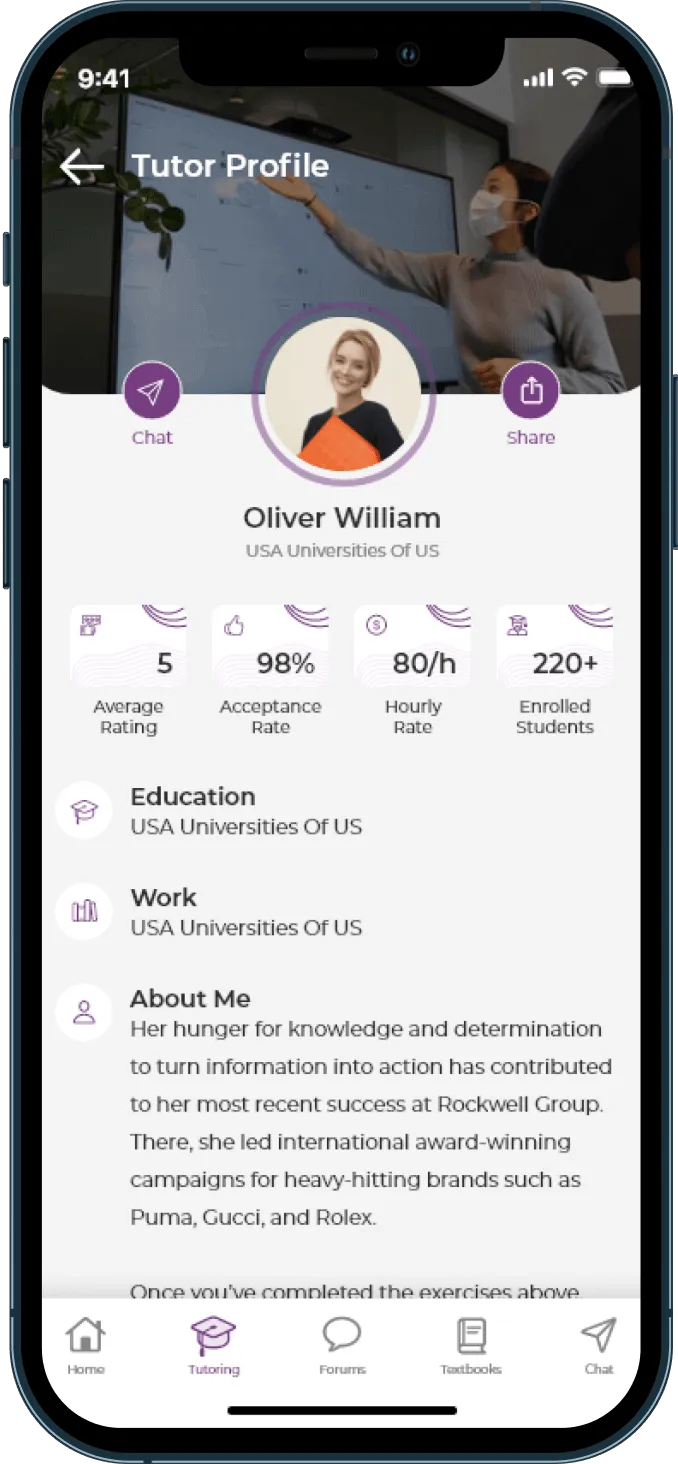
Browse a searchable directory. Filter by subject, category, and hourly price. Open profiles with bio, education, university, rate, ratings, acceptance rate, students taught, subjects, and reviews - then save favorites to re-book later.

  • Search tutors in grid or list view
  • Filter by subject, category, and hourly price range
  • Profiles with bio, education, university, hourly rate, ratings, acceptance rate, students taught, subjects, and reviews
  • Save favorite tutors and re-book them
BusyHen Tutors Near Me screen showing a searchable grid of tutor profiles with ratings, distance, and hourly rates
BusyHen Popular Tutors list with search, filters, hourly rates, reviews, and student counts
BusyHen tutor profile showing average rating, acceptance rate, hourly rate, enrolled students, education, and about section
BusyHen Tutoring tab showing recent, accepted, and rejected session requests with tutor cards and hourly rates
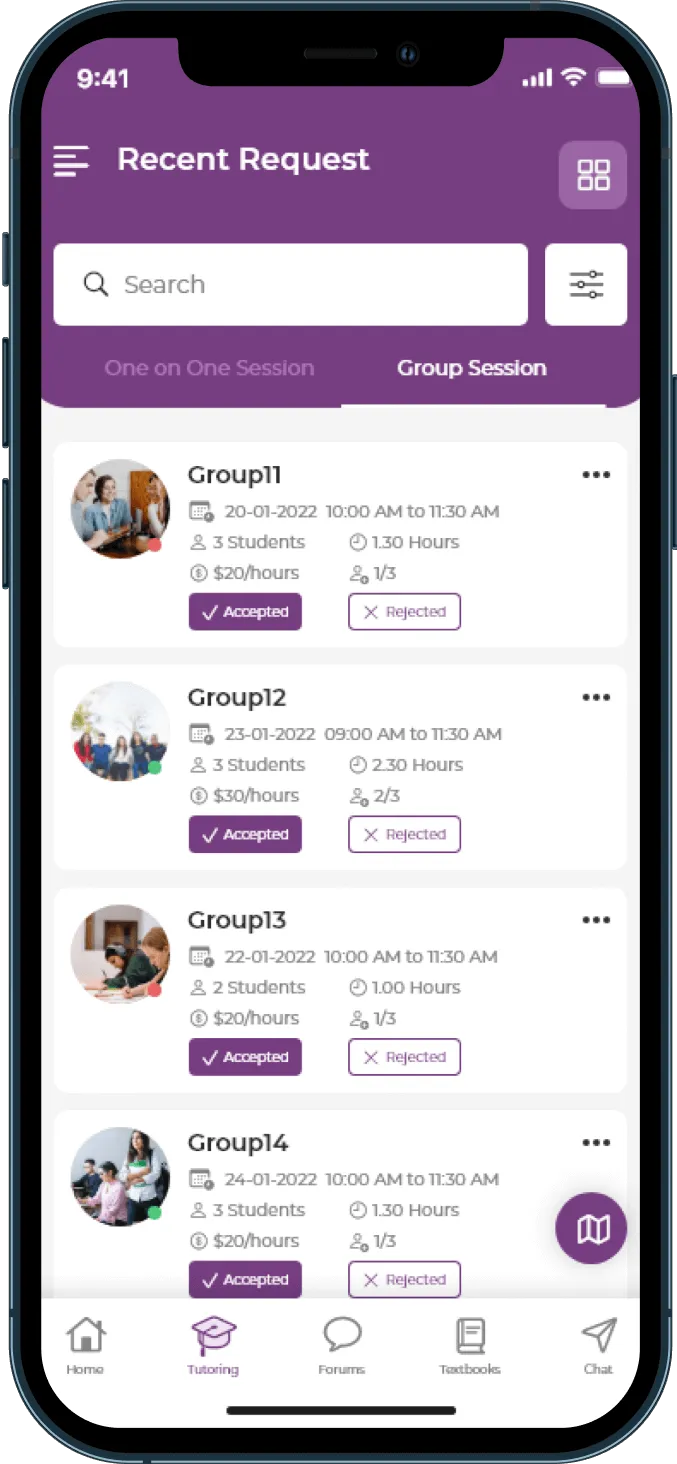
BusyHen Recent Request screen for group sessions with accept and reject actions, date, time, students, duration, and price

Booking

Book a session. Track the request. Start when it is accepted.

Choose subject, date, time, and duration for one-on-one sessions, or book a tutoring group. Tutors accept or decline in real time. Both sides track request status and history, with push notifications when requests are created, accepted, or declined.

  1. Step 1

    Send a request

    Book a one-on-one from a tutor profile, or join a group the tutor has created.

  2. Step 2

    Accept or decline

    Tutors review pending requests and respond in-app. Students track pending, accepted, and declined status.

  3. Step 3

    Start the session

    From an accepted request, start live tutoring with video, whiteboard, and chat.

Request status

Once accepted, you start the session from that request - no Zoom link hunt.

Video

Watch BusyHen

A quick look at how students and tutors connect, book, and learn inside the app.

Tools

Video, whiteboard, chat, and AI summaries

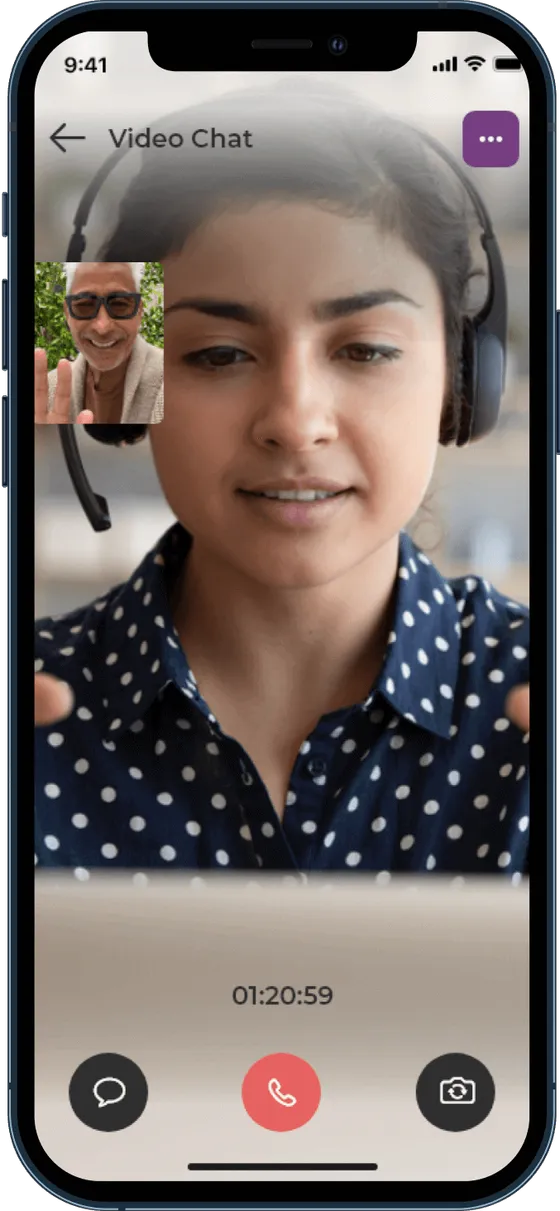
BusyHen is more than a video call. Live sessions combine video, an interactive whiteboard, in-call chat, and an AI-written session summary after you finish.

BusyHen in-app Video Chat session with main camera feed, picture-in-picture participant, session timer, chat control, and end-call button

Video

See and hear your tutor in real time with one-on-one or group video, gallery and active-speaker views, and picture-in-picture.

AI

Get tutoring help when you need it

Need help right now? Ask BusyHen’s AI Tutor by voice or text from a persistent button available anywhere in the app. Continue previous conversations, review session history, and read structured answers - alongside human tutors, not instead of them.

  • Voice and text conversations
  • Available from anywhere in the app
  • Session history you can continue later
  • Structured, readable answers
  • AI-generated summaries after live human tutoring sessions
  • Built to complement human tutors - not replace them

Simulated AI Tutor conversation

Pick a prompt to see a demo response.

Demo responses · not a live AI model

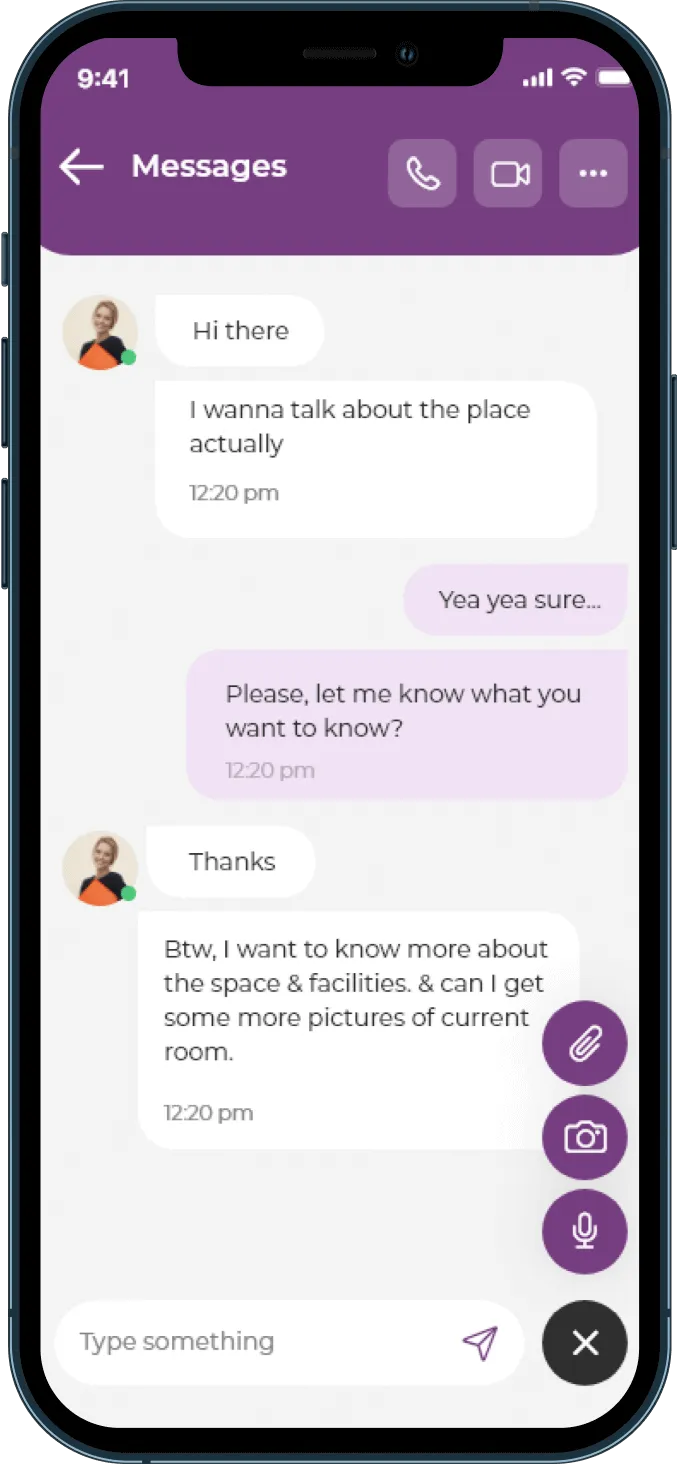
BusyHen Messages thread with attachments, camera, microphone, and video call controls in the header

Chat

Keep tutoring conversations in one place

Message one-on-one or in groups, share photos and files, see typing indicators and unread counts, get push notifications, and start a live video call directly from a conversation - without jumping between disconnected apps.

Messaging

Chat with your tutor

Tutor is typing

Demo chat · not a live conversation

BusyHen Messages thread with attachments, camera, microphone, and video call controls in the header

Roles

One account. Two ways to learn and teach.

Every BusyHen account is dual-role. Switch between student and tutor from Home - no separate tutor app or second account.

For students

Find a tutor, review profiles, send a request, learn live with video, whiteboard, and chat, then review your AI-generated session summary.

  • Search and filter tutors by subject, category, and price
  • Book and track one-on-one or group requests
  • Learn with video, whiteboard, chat, and AI Tutor
  • Track completed sessions and amount spent

Payments

Book with Stripe. Track earnings and payouts.

Students book through integrated Stripe checkout. Tutors complete identity and bank verification for payouts, then track available balance, pending balance, and transaction history.

  • Integrated Stripe payment processing for tutoring bookings
  • Card authentication at booking; payment after the session ends
  • Tutor payout setup with identity and bank verification
  • Wallet with available balance, pending balance, and transaction history
  • Promo and discount codes supported during sign-up

Payment journey

From booking to tutor payout

Student books a session and authenticates a payment method in-app.

Demo-only flow · not live payment data

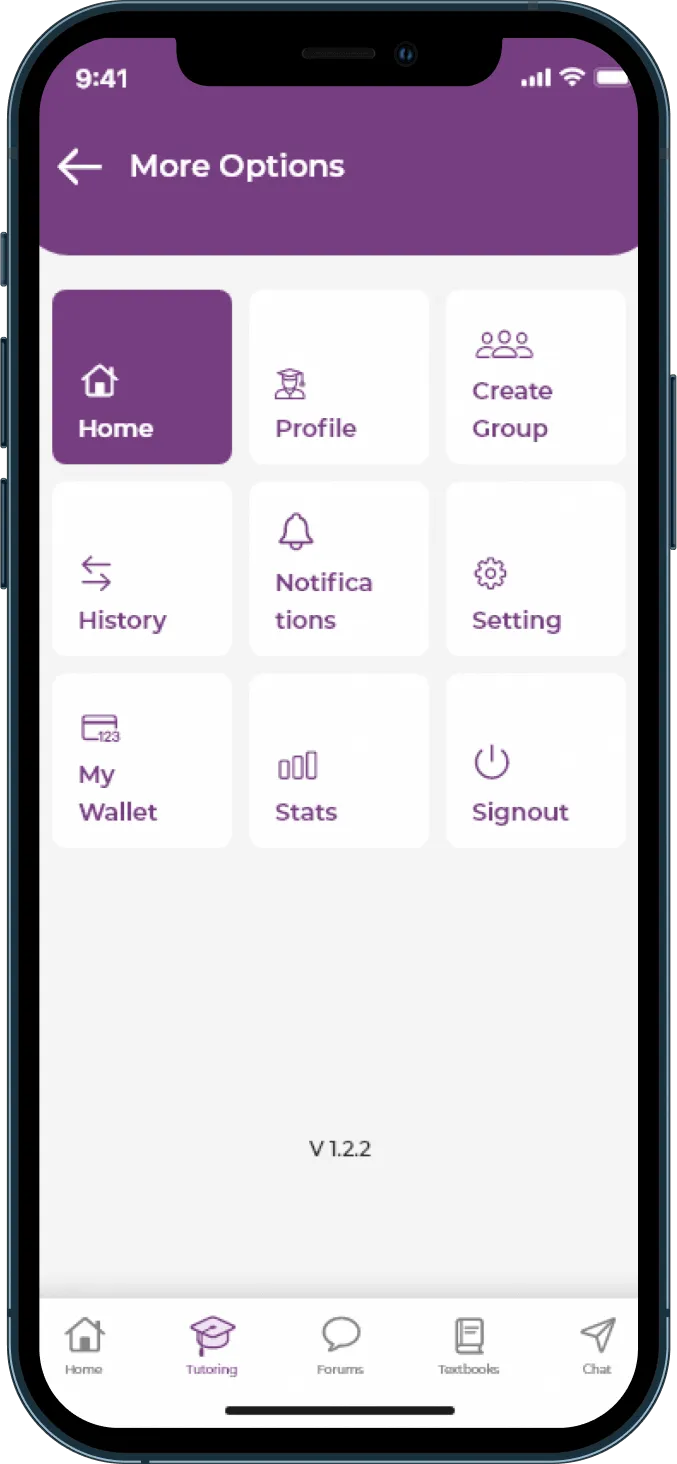
BusyHen More Options menu highlighting My Wallet alongside Profile, Create Group, History, Notifications, Settings, and Stats

Process

How BusyHen works

Find a tutor, book a session, learn live, then keep learning with summaries and AI help.

In the product

Find

Browse tutor cards, filter by subject and price, then open a profile with ratings and reviews.

Step 1 of 5

Browse tutors and compare profiles, ratings, subjects, and hourly rates.

What Students & Tutors Say!

BusyHen has been a lifesaver for my studies! I've struggled to find reliable tutors in the past, but with BusyHen, I was able to connect with a tutor who perfectly matched my needs. The app is easy to use and the online sessions have been incredibly helpful. I've seen a significant improvement in my grades since I started using BusyHen.

Carol McKnight

Student

Download

BusyHen is available for iOS on the App Store

Start your lessons.

Download on the App Store

Get BusyHen on the App Store · Privacy · Terms

BusyHen on iPhone - Tutors Near Me and home screens
BusyHen students FAQ visual - graduates and a student with books and phone

Students

FAQ

Tutor

FAQ

BusyHen tutor FAQ visual - tutoring session and professional tutor

Contact Us

Send a Message

BusyHen